Published builds from the RoboticGen community — featured picks first.
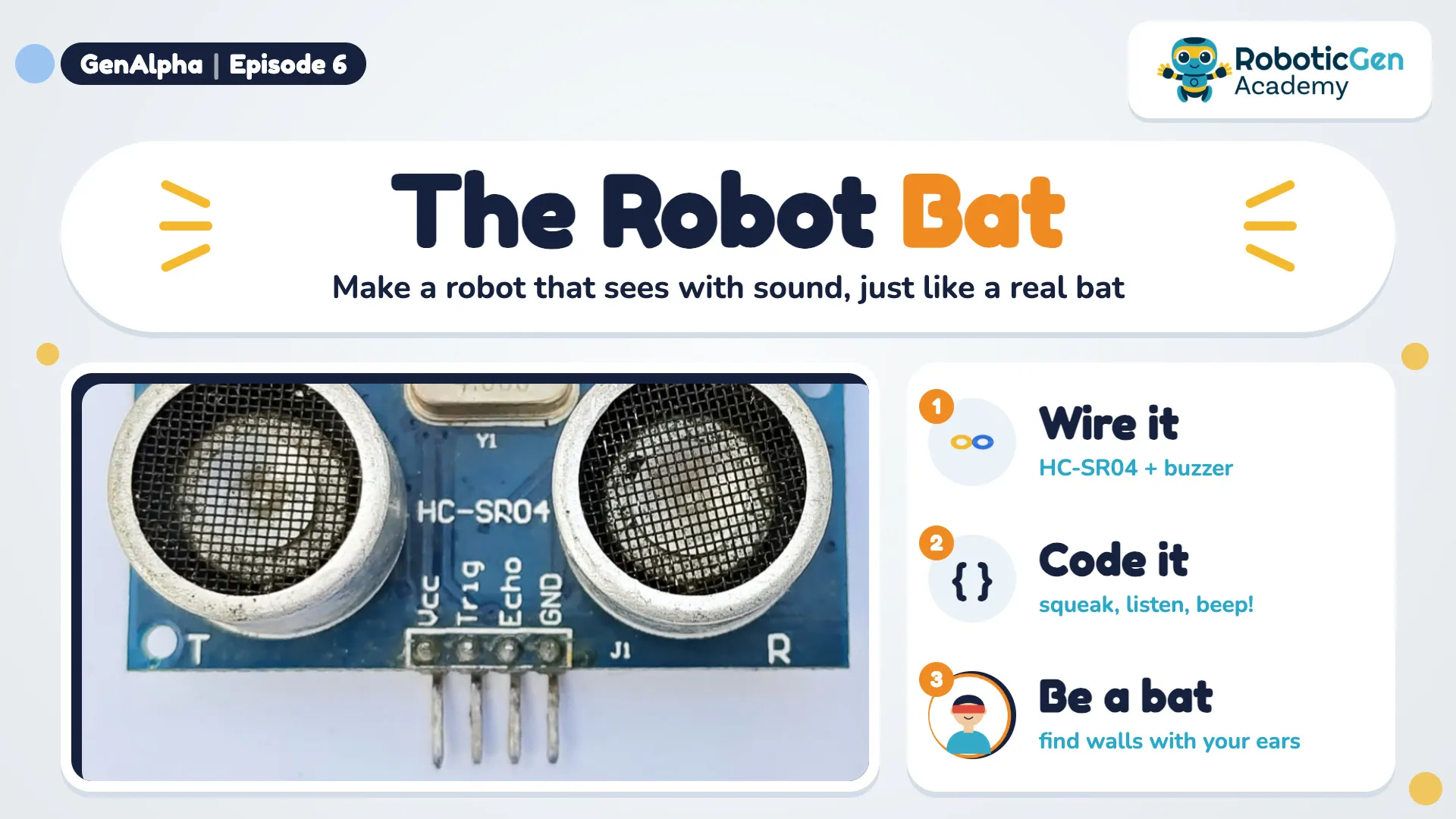
This project is from Gen Alpha Episode 6: Bat Vision on Ahasa TV.
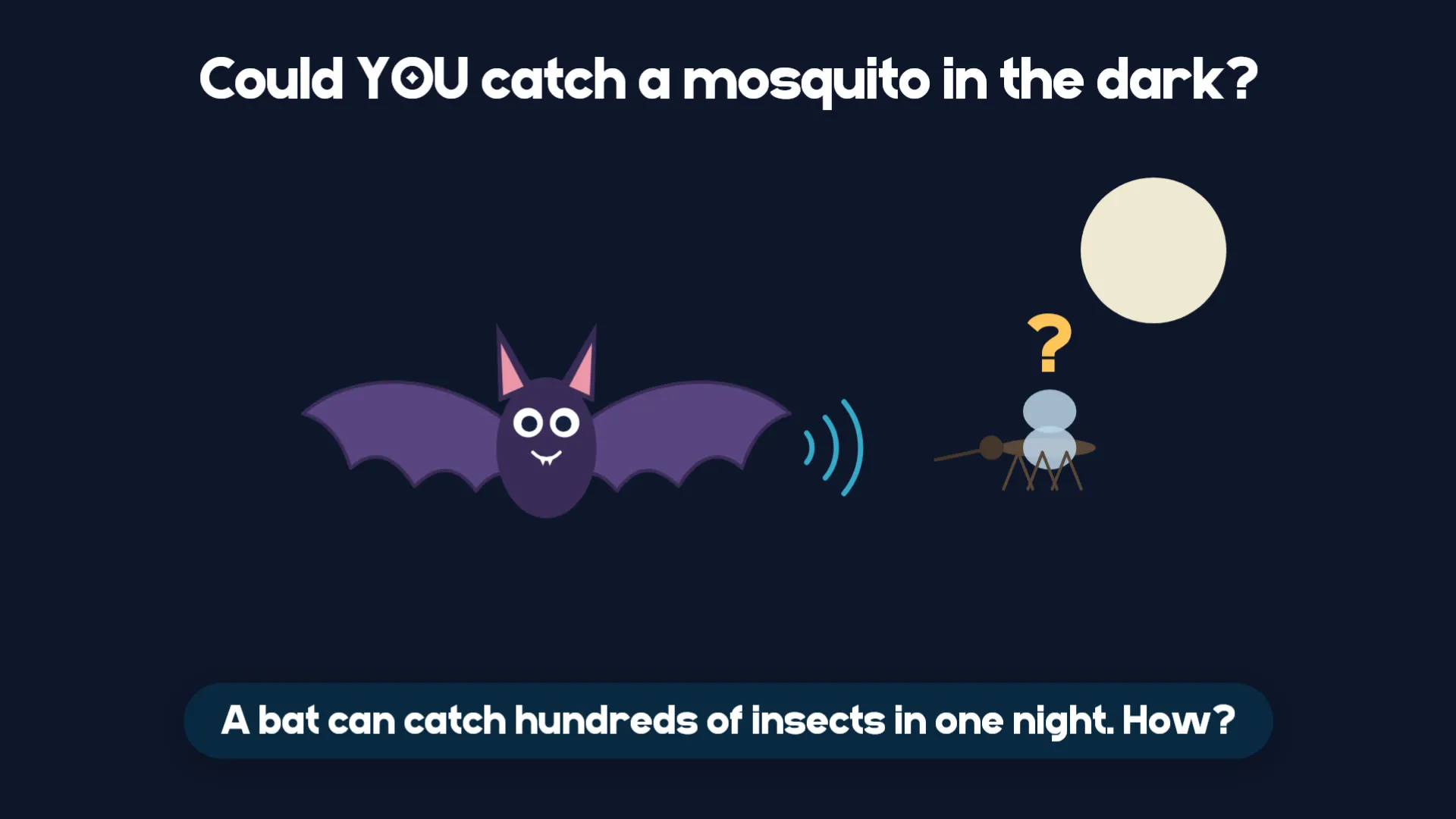
A bat can catch hundreds of insects in one night, even when it is pitch dark. It can't see them with its eyes. So how does it do it?
First we find out the bat's secret. Then we build a robot bat that sees with sound too!
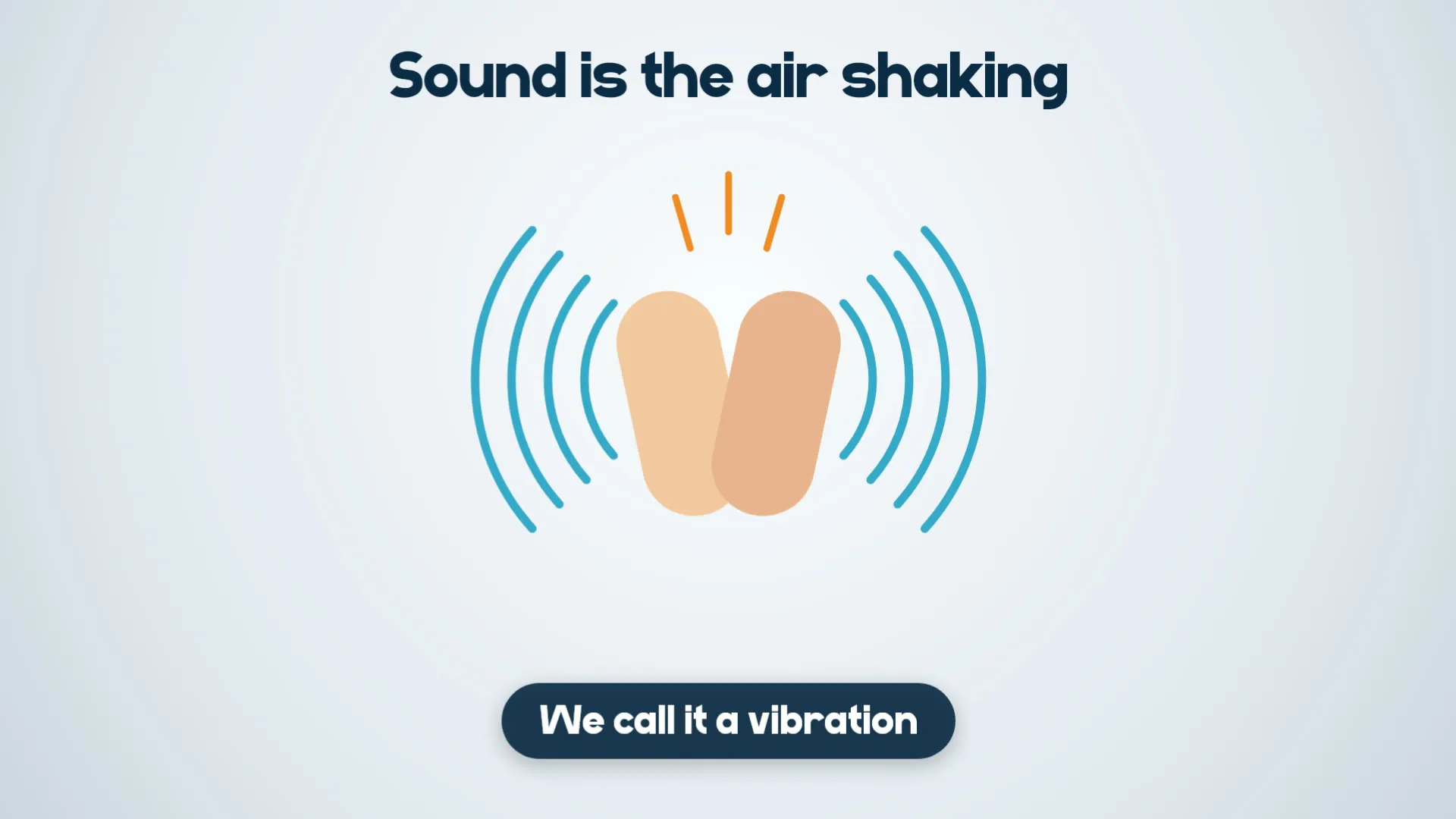
Every sound is the air shaking back and forth. We call it a vibration.
Try it now: feel the sound
That buzz is sound: a vibration!
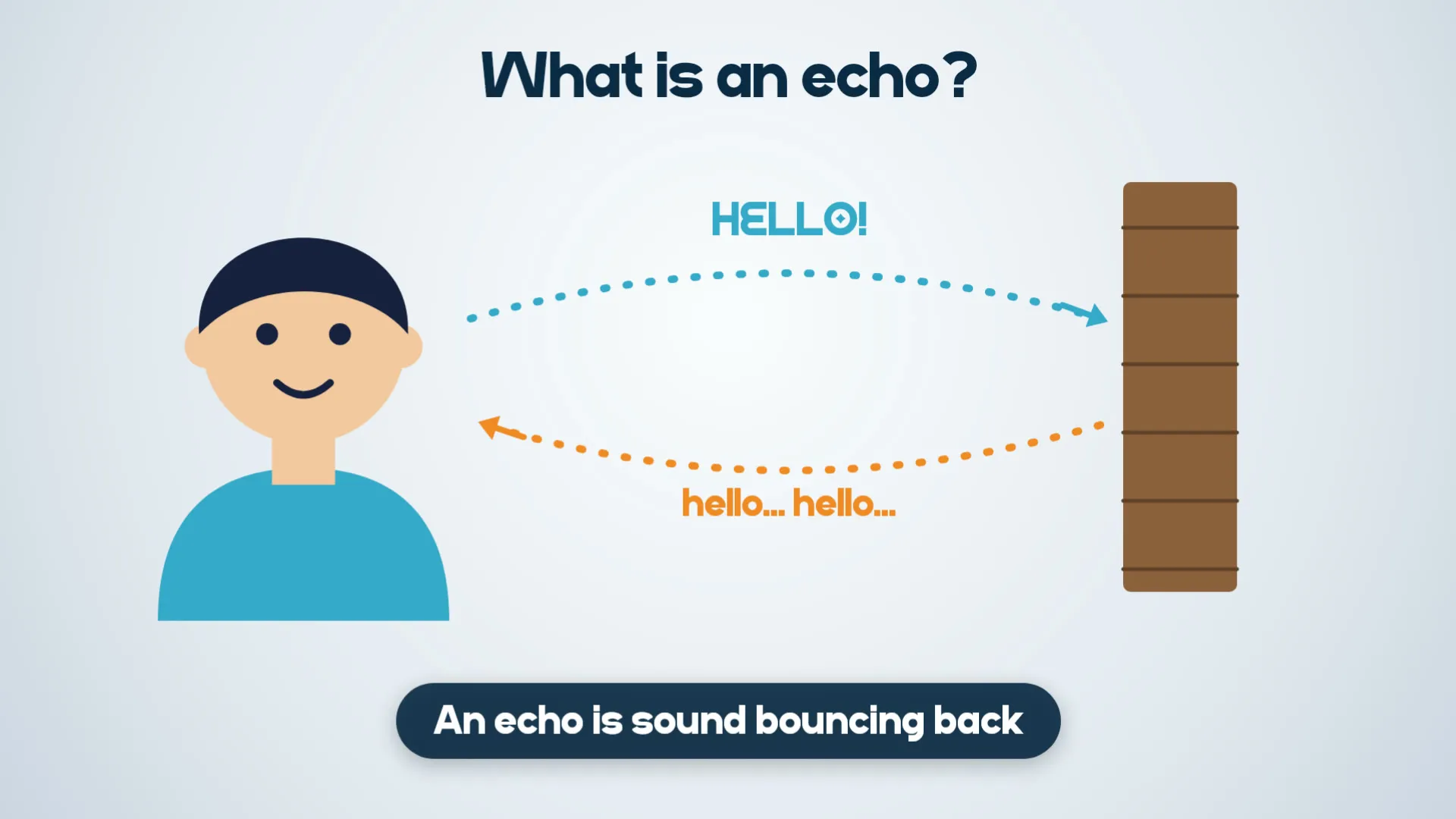
An echo is sound bouncing back off something, like a wall.
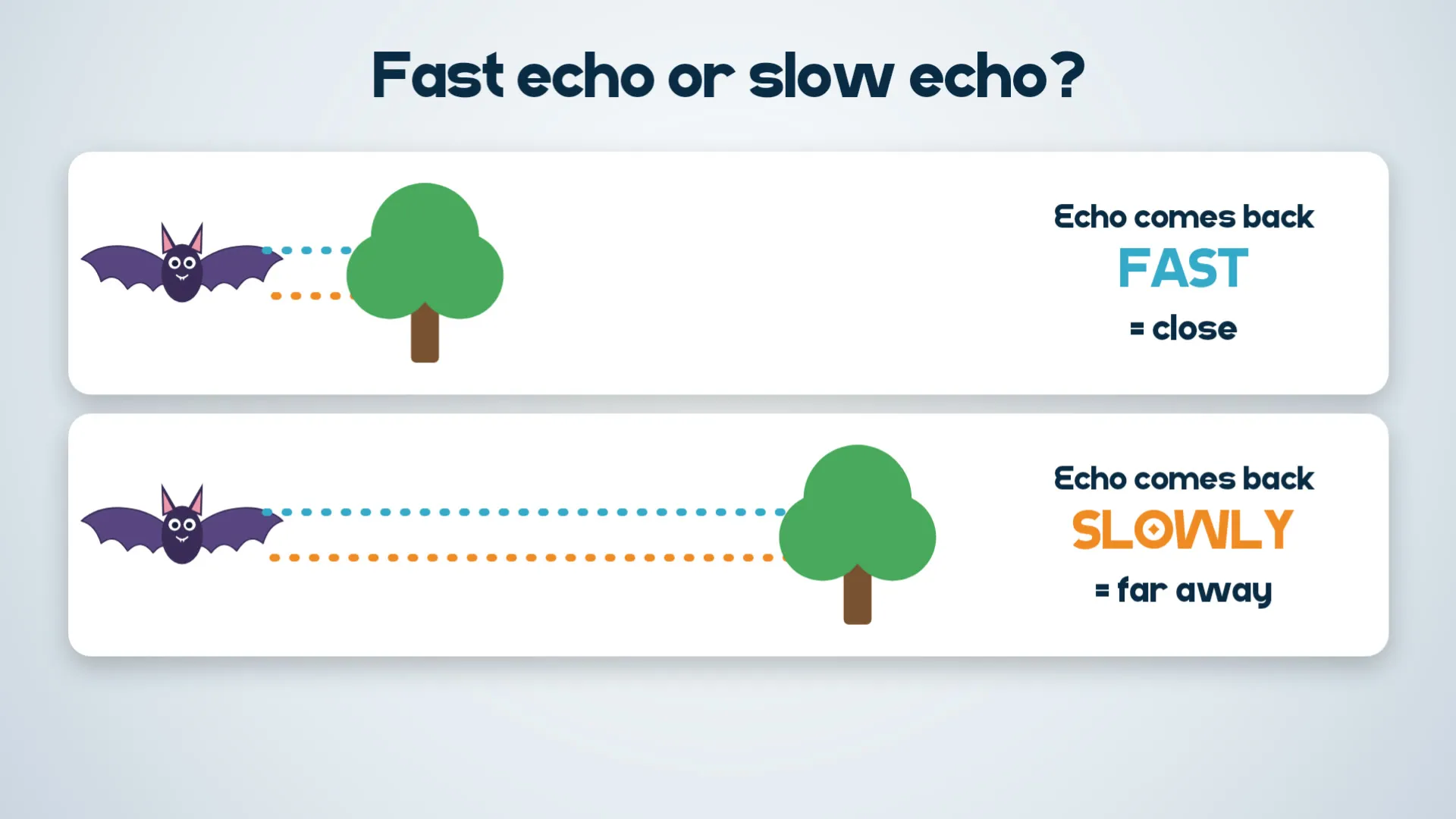
The time the echo takes tells you how far away something is.
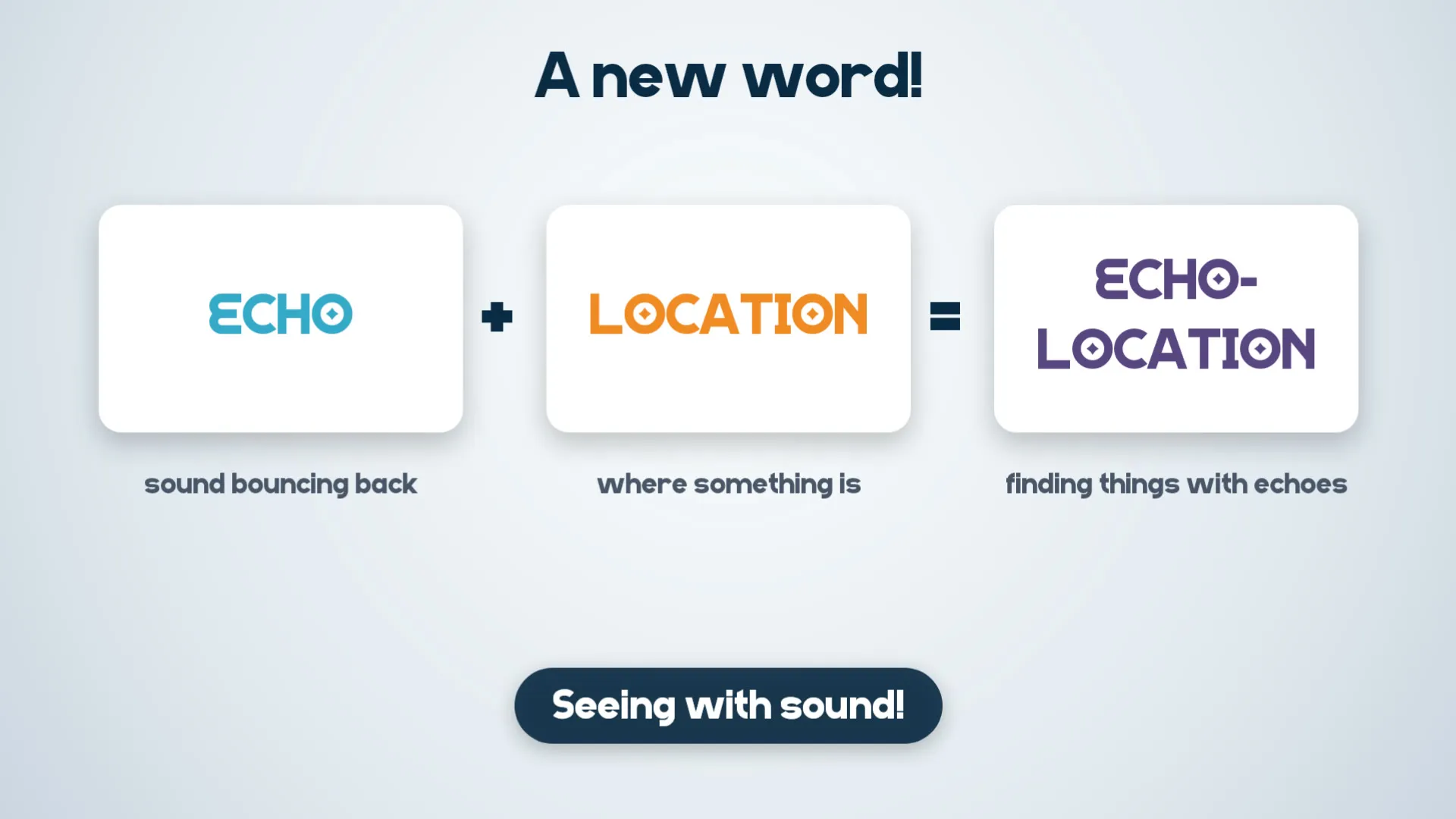
A new word! ECHO (sound bouncing back) + LOCATION (where something is) = ECHOLOCATION: finding things with echoes.
A bat squeaks, listens for the echo, and knows where the insect is. It is seeing with sound!
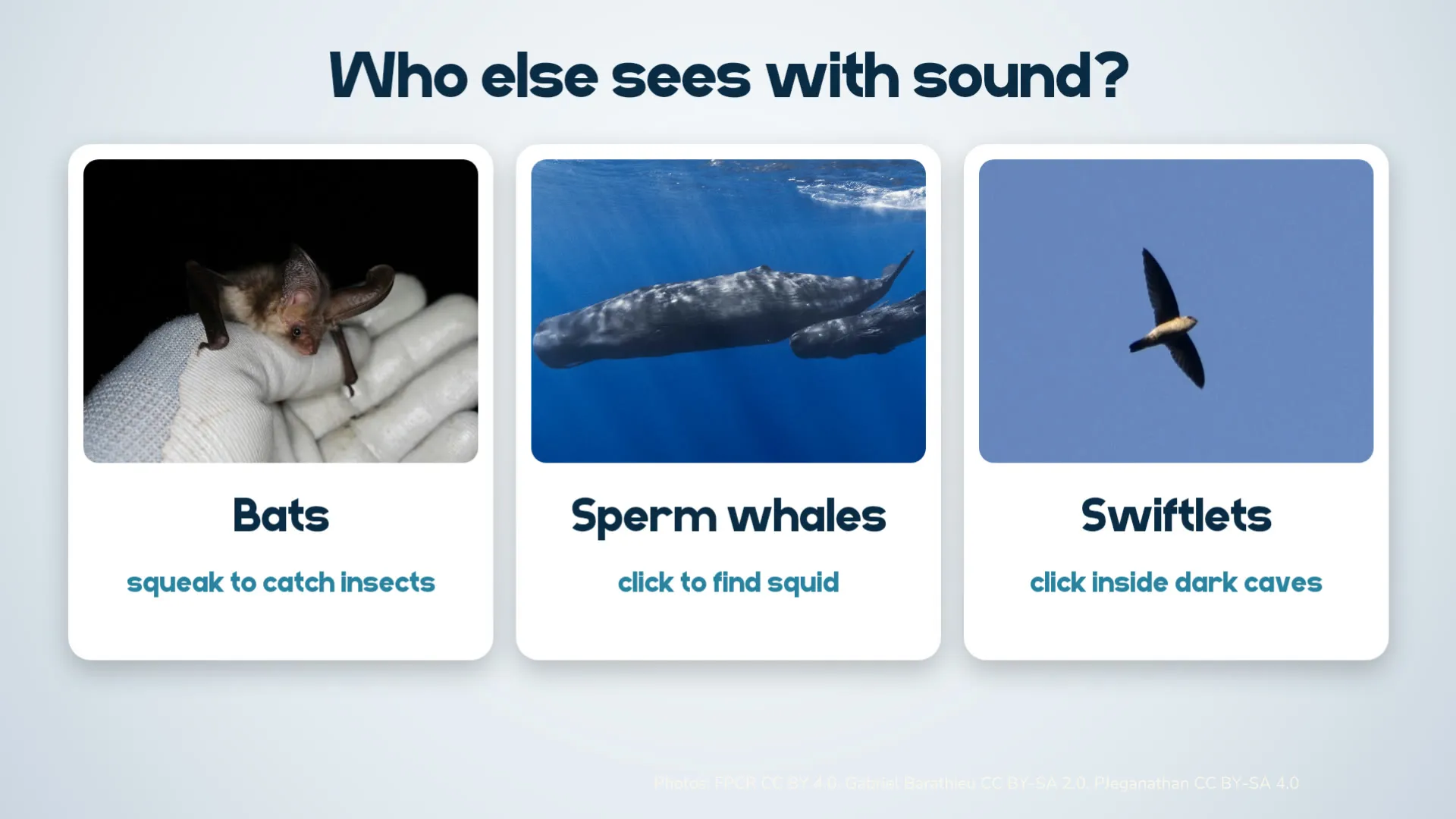
Bats are not the only ones. Sperm whales click to find squid, and swiftlets click inside dark caves.
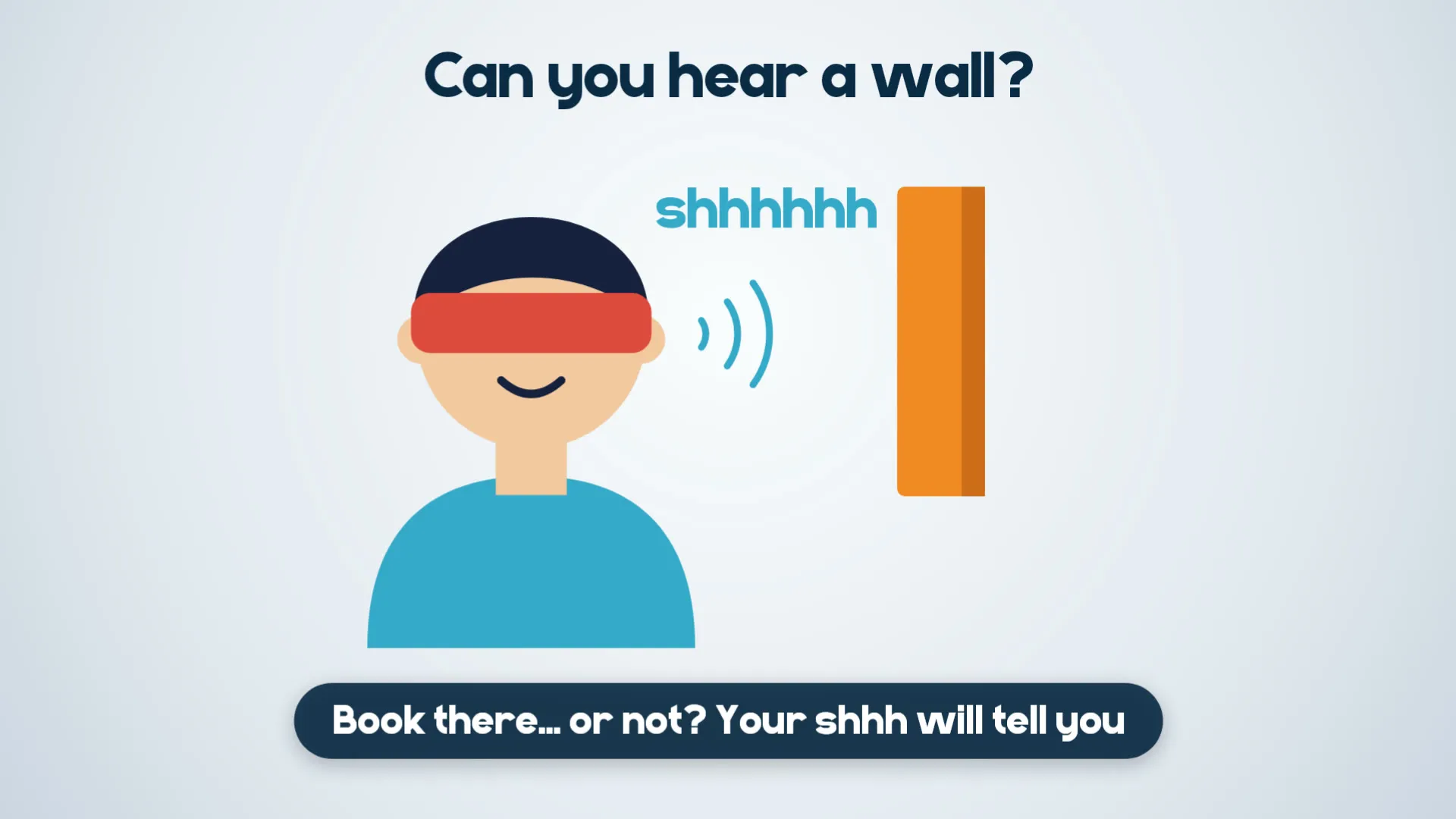
Game: can you hear a wall?
Your "shhh" bounces off the book! Play 10 times and count how many you get right.
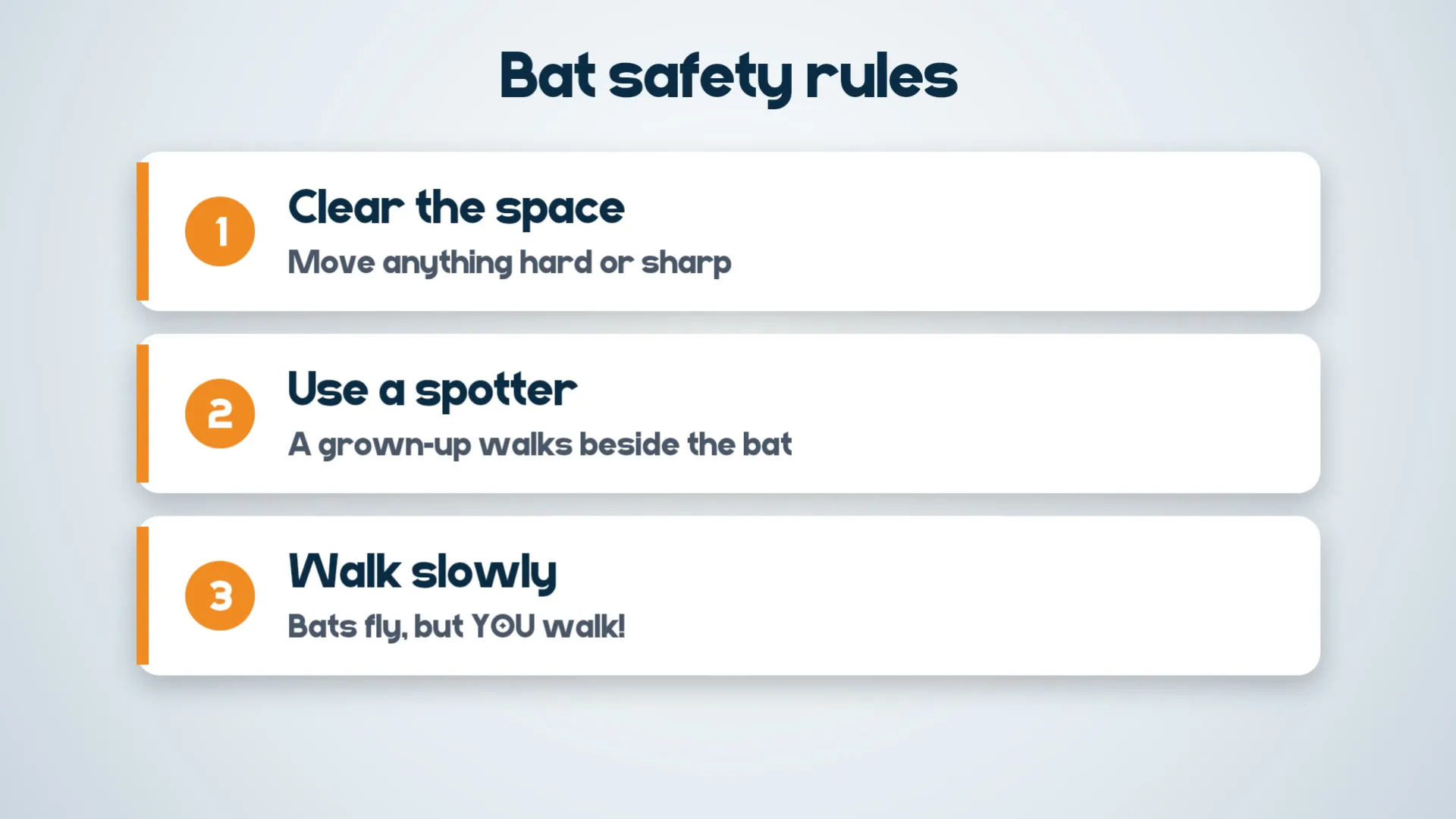
Bat safety rules:
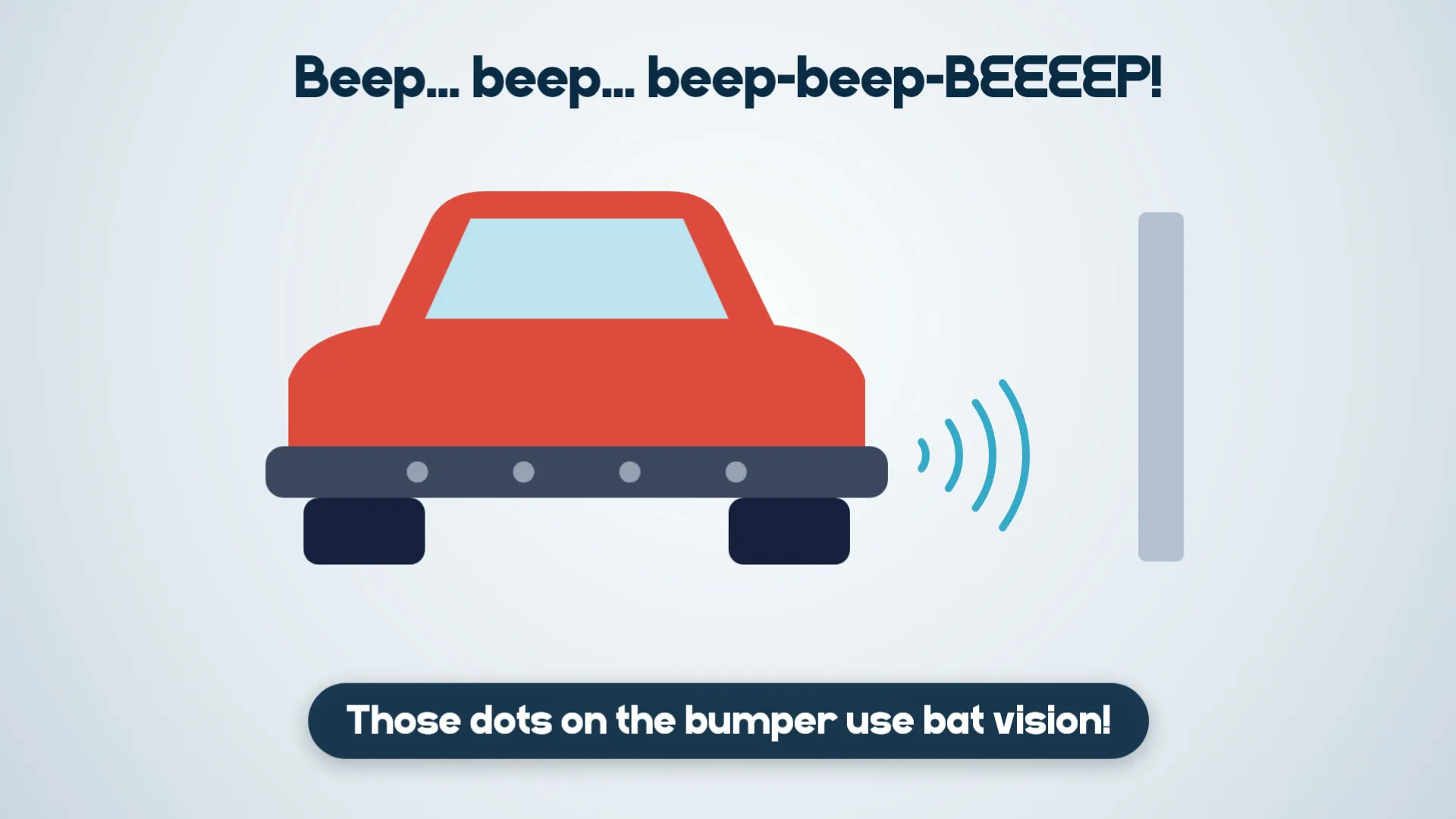
Beep... beep... beep-beep-BEEEEP! The little dots on a car's bumper are parking sensors, and they use bat vision!
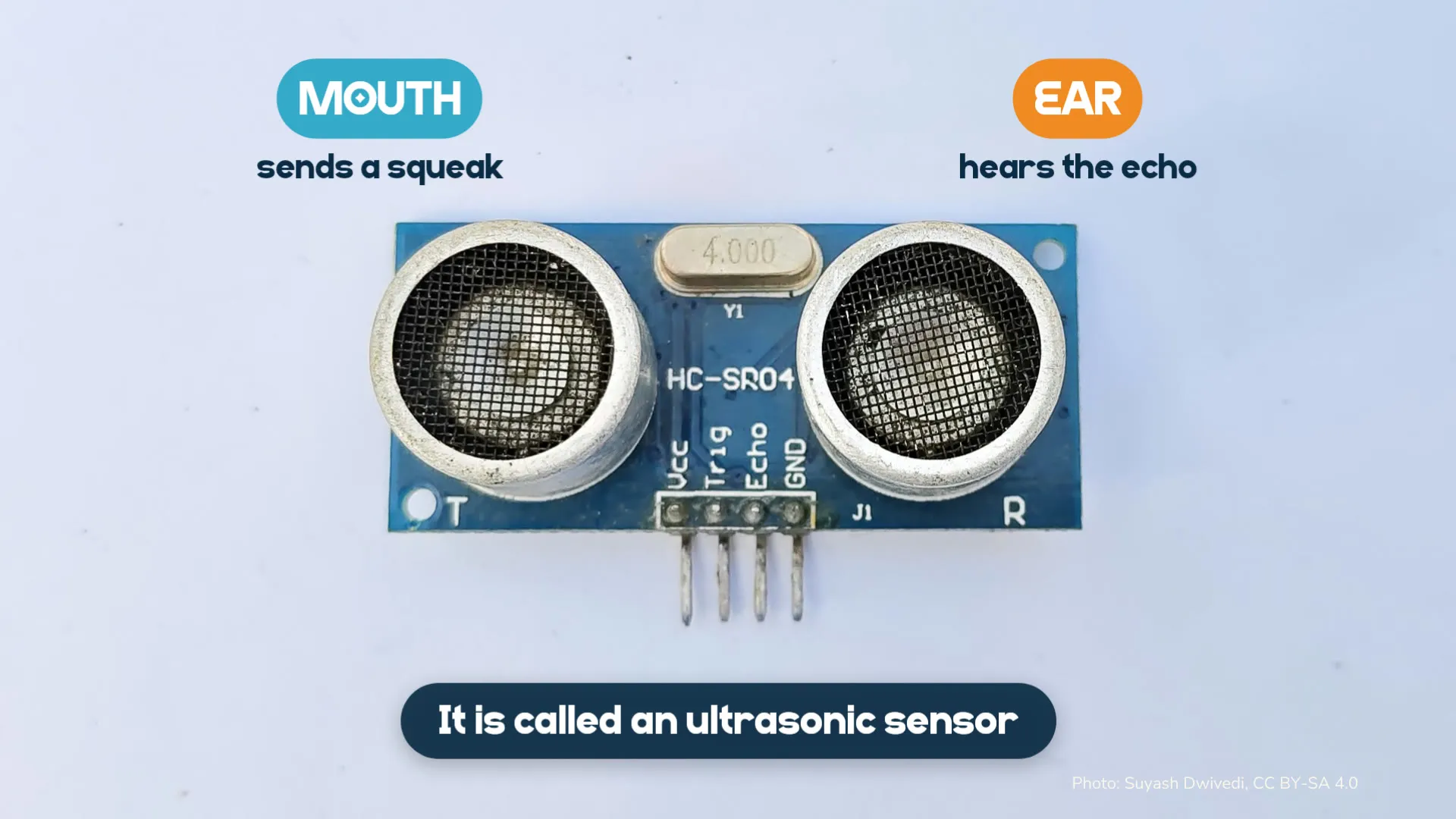
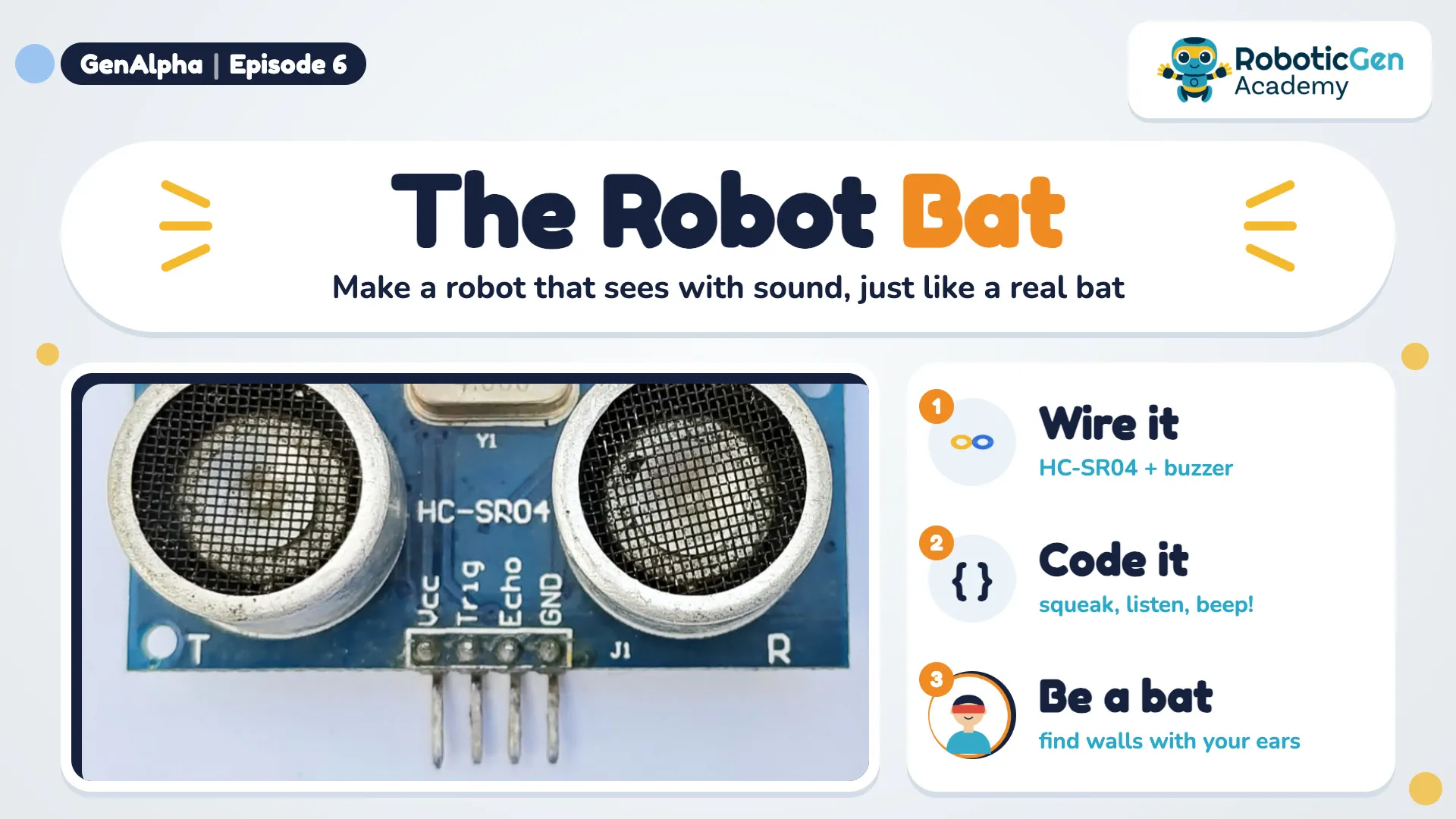
Our robot bat uses the same idea. Its HC-SR04 ultrasonic sensor has two round parts:
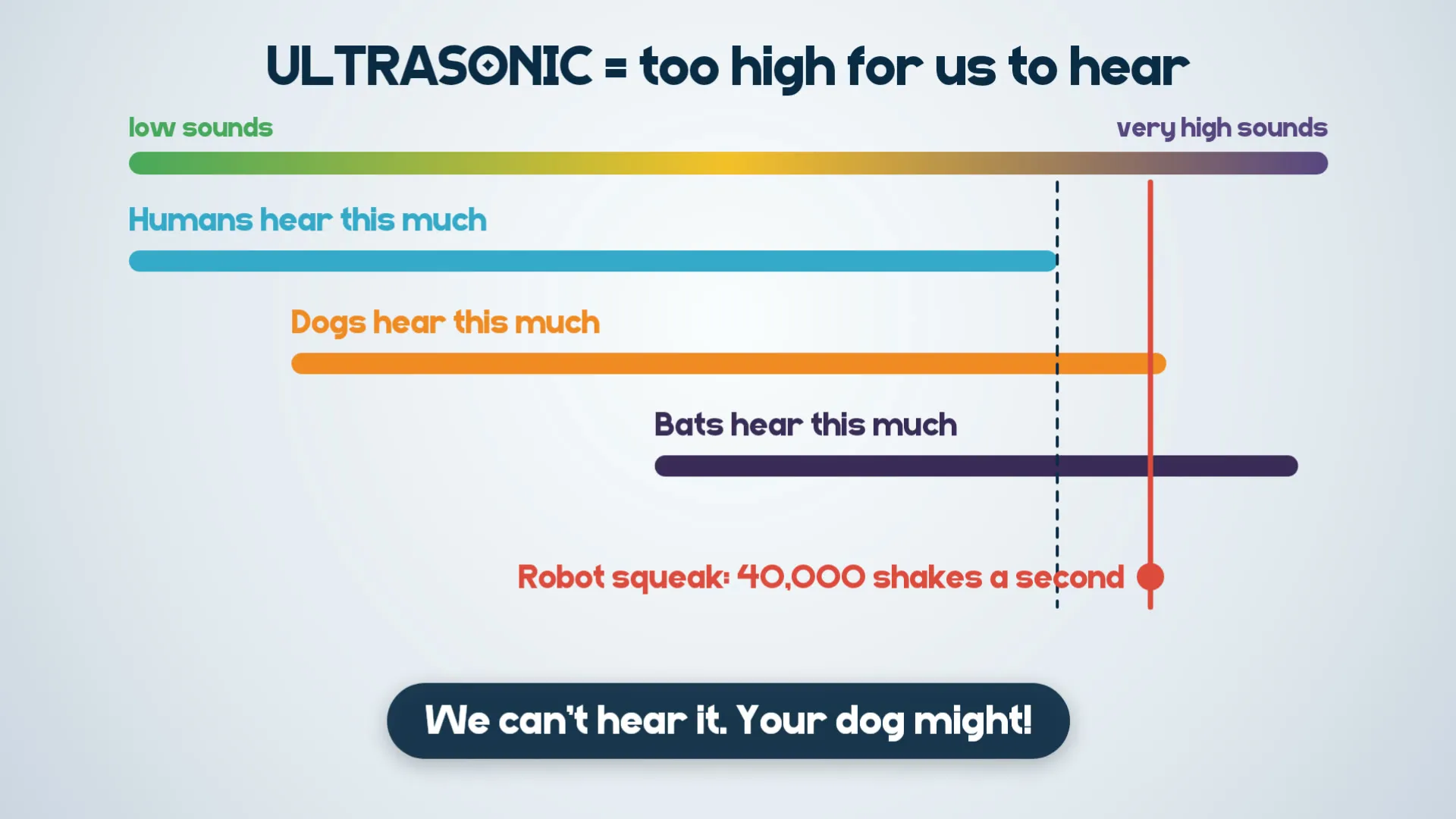
Ultrasonic means a sound too high for us to hear.
Humans hear low sounds and quite high sounds. Dogs hear higher, and bats hear even higher. The robot's squeak shakes 40,000 times a second, so we can't hear it. Your dog might!
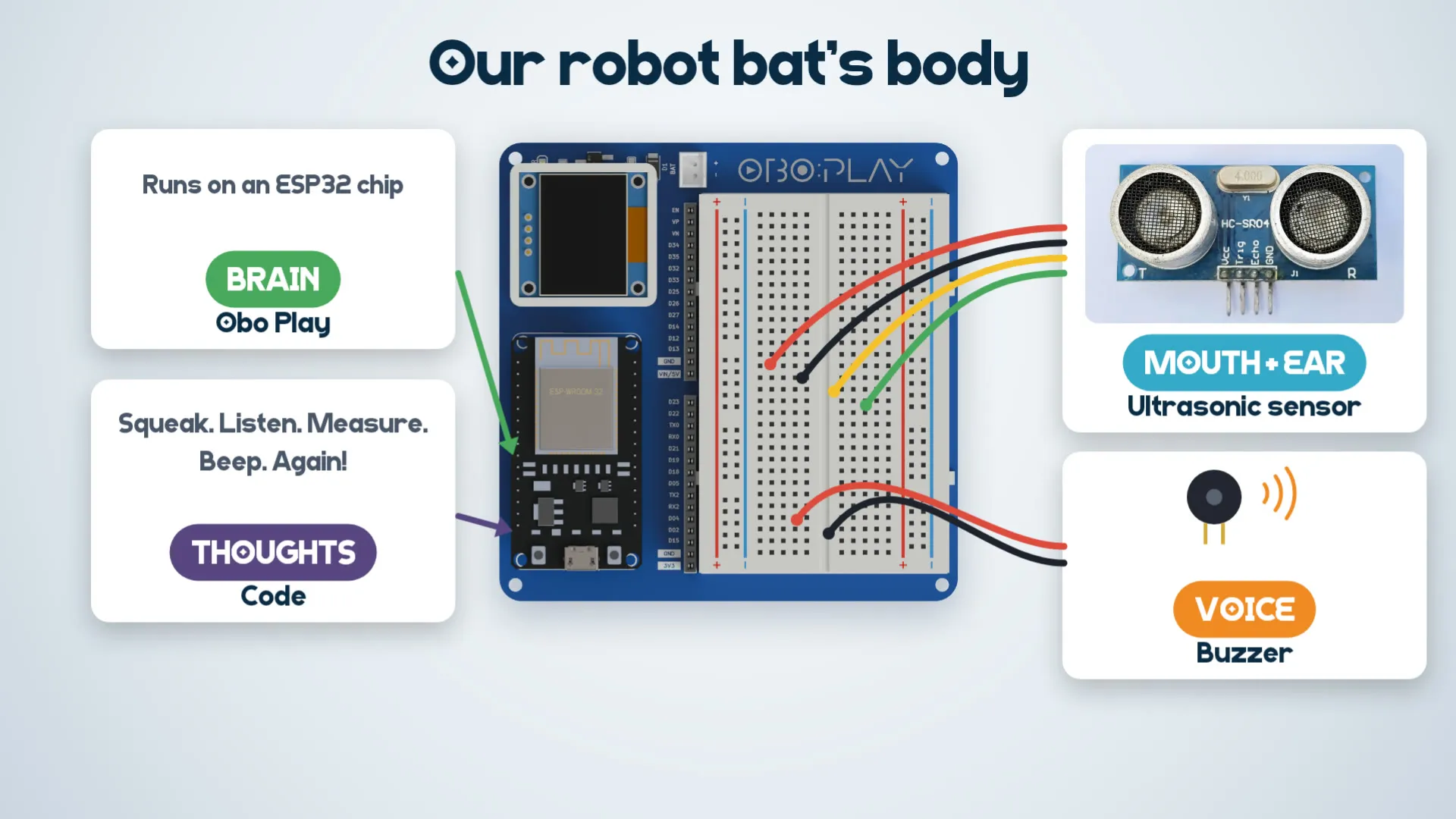
Our robot bat has a body like a real bat:
The Obo Play's OLED screen also shows the distance in big numbers.
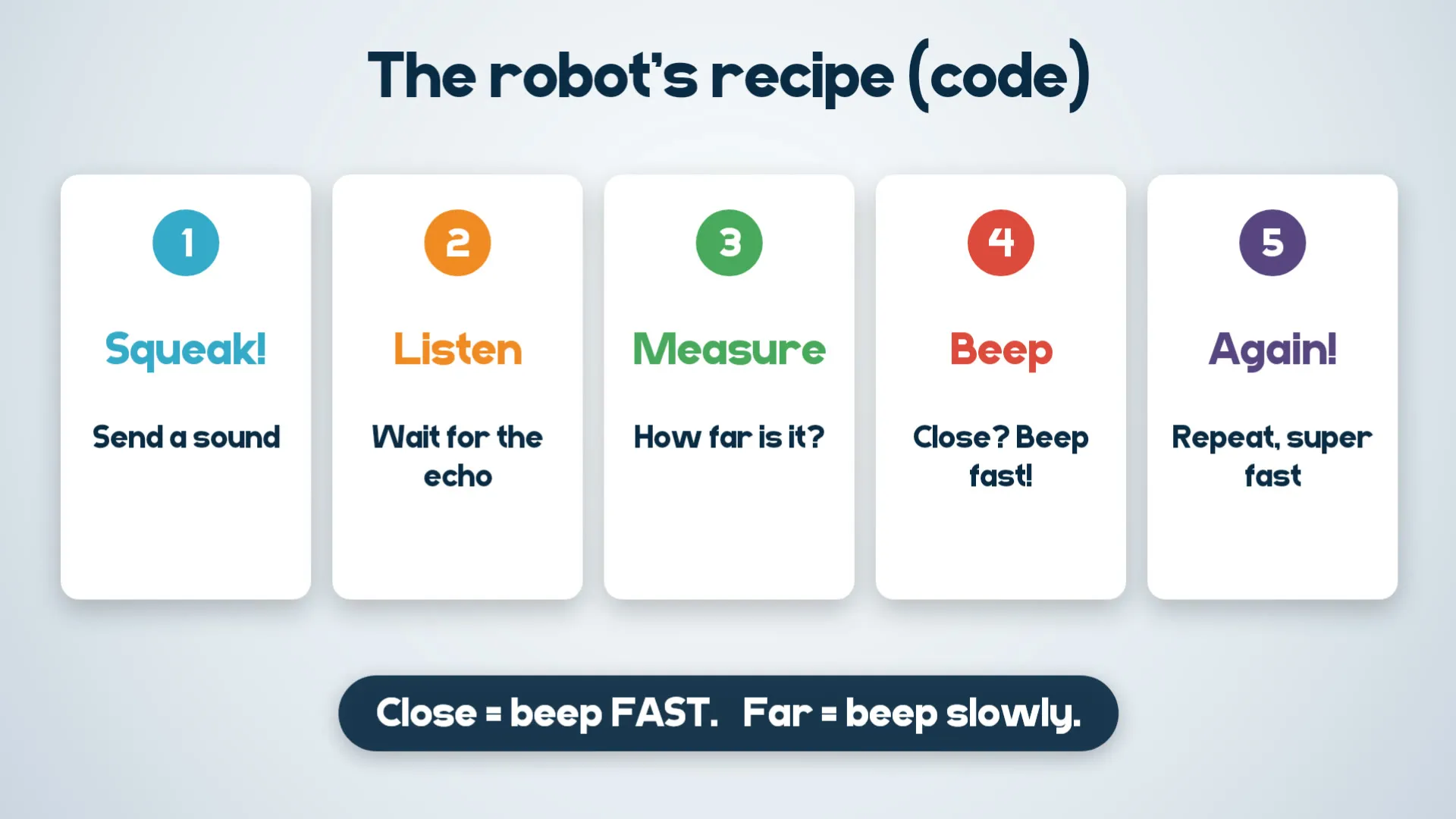
The robot follows a recipe again and again, super fast:
Close = beep FAST. Far = beep slowly.
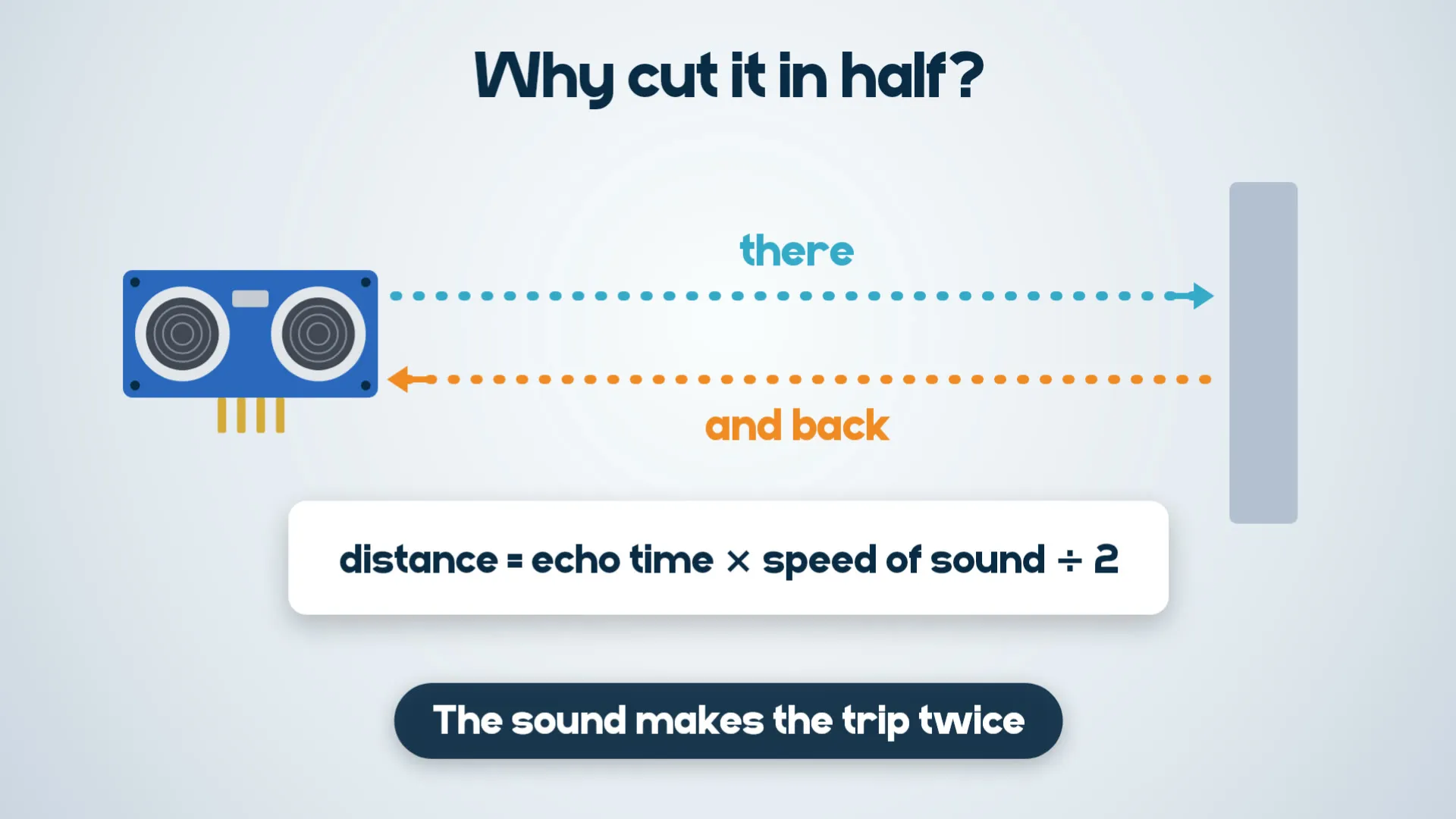
Why cut it in half? The sound goes to the wall and back, so it makes the trip twice:
distance = echo time x speed of sound / 2
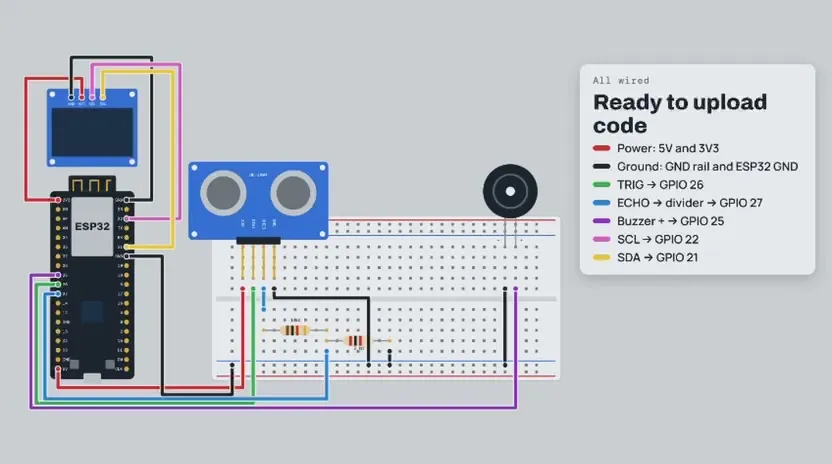
Push the HC-SR04 into the breadboard, then connect it to the Obo Play:
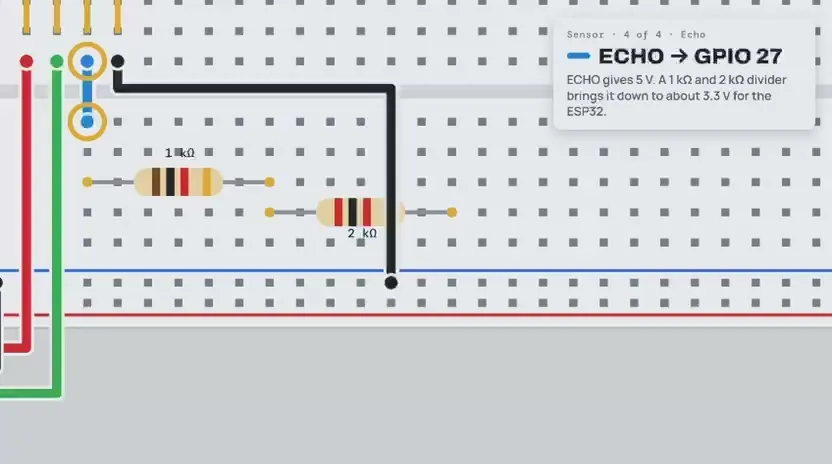
Why the resistors? The ECHO pin gives out 5 V, but the ESP32 only takes 3.3 V. The two resistors bring it down safely. (An HC-SR04P running on 3.3 V needs no resistors.)
Buzzer (the voice):
A 3-pin buzzer module goes VCC → 3.3V, GND → GND, I/O → GPIO 25.
OLED screen: it uses SDA = GPIO 21 and SCL = GPIO 22, so keep those two pins free. If you use a separate OLED module, wire VCC → 3V3, GND → GND, SCL → GPIO 22 and SDA → GPIO 21.
Check every wire before you plug in the USB cable.
The Obo Play runs MicroPython. Try it first in the simulator, with no parts needed: open the Robot Bat in Wokwi, press play and move the distance slider.
On the real board, save the code as main.py on the Obo Play (in Thonny: File → Save as → MicroPython device), or from a terminal:
mpremote cp main.py :
mpremote reset
The code is exactly the same for Wokwi and the real robot. The OLED driver is built in, so this is the only file you need.
# Robot Bat: Obo Play + HC-SR04 ultrasonic sensor + buzzer + OLED screen.
# Beeps faster and louder as things get closer, and shows the distance in very big numbers.
#
# Beep zones (change them in ZONES below):
# under 200 cm -> slow, about one beep a second
# under 150 cm, 100 cm, 75 cm, 50 cm -> faster and faster
# under 25 cm -> very fast
# under 10 cm -> almost one long beep
# 200 cm or more -> silent
#
# MicroPython on the ESP32. The OLED driver is built into this file, so it is the only file needed.
# In Wokwi: paste it into main.py and press play. On the real board, main.py runs at power-on:
# mpremote cp main.py :
# mpremote reset
# The distance also goes to the serial console (mpremote, or Thonny) for "Guess the distance".
#
# Wiring (see Robot_Bat_Code_Card.pdf). Pins as labelled on the Obo Play header (D25 = GPIO 25):
# Sensor VCC -> VIN/5V
# Sensor GND -> GND
# Sensor TRIG -> GPIO 26
# Sensor ECHO -> 1k resistor -> GPIO 27, with a 2k resistor from GPIO 27 to GND
# (ECHO is 5 V and the ESP32 only takes 3.3 V. An HC-SR04P on 3.3 V needs no resistors.)
# In Wokwi, leave the resistors out and wire ECHO straight to GPIO 27.
# The code is exactly the same for Wokwi and the real robot.
# Buzzer + -> GPIO 25 (active or passive buzzer both work)
# Buzzer - -> GND
# (3-pin buzzer module: VCC -> 3.3V, GND -> GND, I/O -> GPIO 25; see BUZZER_ACTIVE_LOW below)
# The OLED is already on the board: SDA is GPIO 21 and SCL is GPIO 22, so leave those two pins free.
from machine import I2C, PWM, Pin, time_pulse_us
from time import sleep_ms, sleep_us, ticks_diff, ticks_ms
import framebuf
# ---- OLED driver (built in, so no separate ssd1306.py file is needed) ----
class SSD1306_I2C(framebuf.FrameBuffer):
def __init__(self, width, height, i2c, addr=0x3C):
self.width, self.height, self.i2c, self.addr = width, height, i2c, addr
self.pages = height // 8
self.buffer = bytearray(self.pages * width)
super().__init__(self.buffer, width, height, framebuf.MONO_VLSB)
for cmd in (0xAE, 0x20, 0x00, 0x40, 0xA1, 0xA8, height - 1, 0xC8, 0xD3, 0x00,
0xDA, 0x02 if width > 2 * height else 0x12, 0xD5, 0x80, 0xD9, 0xF1,
0xDB, 0x30, 0x81, 0xFF, 0xA4, 0xA6, 0x8D, 0x14, 0xAF):
self.write_cmd(cmd)
self.fill(0)
self.show()
def write_cmd(self, cmd):
self.i2c.writeto(self.addr, bytearray([0x80, cmd]))
def show(self):
for cmd in (0x21, 0, self.width - 1, 0x22, 0, self.pages - 1):
self.write_cmd(cmd)
self.i2c.writevto(self.addr, [b"\x40", self.buffer])
# ---- end of OLED driver ----
TRIG = Pin(26, Pin.OUT, value=0)
ECHO = Pin(27, Pin.IN)
BUZZER_PIN = 25
# What kind of buzzer?
# True -> active buzzer (sealed black bottom, makes its own sound): simply switched fully on,
# which is the LOUDEST it can go. Pitch and volume in ZONES are ignored.
# False -> passive buzzer (green board underneath), and Wokwi: plays the pitch and volume in ZONES.
BUZZER_IS_ACTIVE = True
# Which way round is your buzzer?
# False -> sounds when the pin is HIGH: plain 2-leg buzzers, and Wokwi
# True -> sounds when the pin is LOW: many 3-pin buzzer modules (VCC, I/O, GND)
# If it beeps nonstop when nothing is near, switch this to the other setting.
BUZZER_ACTIVE_LOW = False
buzzer_pwm = None
def quiet():
# Silence = stop the tone and hold the pin solidly at its "off" level.
global buzzer_pwm
if buzzer_pwm:
buzzer_pwm.deinit()
buzzer_pwm = None
Pin(BUZZER_PIN, Pin.OUT, value=1 if BUZZER_ACTIVE_LOW else 0)
quiet() # start silent
# 4. Beep zones: (closer than this many cm, time from one beep to the next in ms,
# beep length in ms, pitch in Hz, volume)
# Closer = more beeps per second. Checked from the top down, so the closest zone goes first.
# Active buzzer (BUZZER_IS_ACTIVE = True): always full volume, pitch and volume are ignored.
# Passive buzzer / Wokwi: volume goes up to 32768, the loudest. Never go above 32768.
ZONES = (
(10, 90, 90, 3500, 32768), # under 10 cm: almost one long beep
(25, 130, 70, 3000, 32768), # under 25 cm: very fast
(50, 220, 70, 2700, 32768), # under 50 cm: fast
(75, 350, 80, 2400, 32768), # under 75 cm
(100, 500, 90, 2000, 32768), # under 1 m
#(150, 750, 90, 1500, 32768), # under 1.5 m
#(200, 1000, 90, 1000, 32768), # under 2 m: slow, about one beep a second
)
WIDTH = 128
HEIGHT = 64
TOP = 16 # the top 16 rows are yellow: keep the numbers in the blue part below
OLED_ADDRESS = 0x3C # try 0x3D if the screen stays black
SPEED_OF_SOUND = 0.0343 # centimetres per microsecond
REST = 30 # always rest this long before the next squeak, in milliseconds
DOT = 6 # size of the decimal point, in pixels
GAP = 3 # space between the big numbers
NUMBER_AREA = 90 # the numbers fill this much, "cm" gets the rest
BARS = ("abcdef", "bc", "abdeg", "abcdg", "bcfg", "acdfg", "acdefg", "abc", "abcdefg", "abcdfg") # 0 to 9
# aaa
# f b Each big number is made of these bars, like a digital clock.
# ggg
# e c
# ddd
try:
i2c = I2C(0, scl=Pin(22), sda=Pin(21), freq=400000)
oled = SSD1306_I2C(WIDTH, HEIGHT, i2c, OLED_ADDRESS)
except OSError:
oled = None # no screen? The bat still has to beep.
print("OLED not found: check the wiring or try address 0x3D")
screen = getattr(oled, "framebuf", oled) # older ssd1306 libraries keep their drawing tools in oled.framebuf
def read_distance():
if ECHO.value(): # still busy with the last squeak: try again next time
return -1
TRIG.value(1) # 1. Squeak: a 10 microsecond pulse
sleep_us(10)
TRIG.value(0)
echo_time = time_pulse_us(ECHO, 1, 30000) # 2. Listen: give up after 30 ms (about 5 m)
if echo_time < 0: # no echo: nothing nearby
return -1
return echo_time * SPEED_OF_SOUND / 2 # 3. Measure: there and back, so cut it in half
def draw_big(bars, x, w, bar):
side = (HEIGHT - TOP) // 2 # the side bars are half the blue part tall
middle = TOP + side
for name, left, top, wide, tall in (("a", x, TOP, w, bar), ("g", x, middle - bar // 2, w, bar),
("d", x, HEIGHT - bar, w, bar), ("f", x, TOP, bar, side),
("e", x, middle, bar, side), ("b", x + w - bar, TOP, bar, side),
("c", x + w - bar, middle, bar, side)):
if name in bars:
screen.fill_rect(left, top, wide, tall, 1)
def draw_cm():
top, tall = HEIGHT - 22, 22
screen.fill_rect(93, top, 3, tall, 1) # c
screen.fill_rect(93, top, 13, 3, 1)
screen.fill_rect(93, HEIGHT - 3, 13, 3, 1)
screen.fill_rect(109, top, 19, 3, 1) # m
for x in (109, 117, 125):
screen.fill_rect(x, top, 3, tall, 1)
def show(cm):
global oled
if oled is None:
return
number = "%.1f" % cm if cm > 0 else "---" # one decimal place, like 42.3
digits = len(number.replace(".", ""))
w = (NUMBER_AREA - DOT) // digits - GAP # fewer numbers can be wider
bar = 5 if digits == 4 else 7 # thin numbers need thin bars
x = NUMBER_AREA - digits * (w + GAP) - (DOT if "." in number else -GAP)
try:
oled.fill(0)
for digit in number:
if digit == ".":
screen.fill_rect(x, HEIGHT - DOT, DOT, DOT, 1)
x += DOT + GAP
else:
draw_big("g" if digit == "-" else BARS[int(digit)], x, w, bar)
x += w + GAP
draw_cm()
oled.show()
except OSError: # a wire came loose: keep beeping without the screen
oled = None
print("OLED lost: carrying on without it")
def beep(length, pitch, volume):
global buzzer_pwm
if BUZZER_IS_ACTIVE:
Pin(BUZZER_PIN, Pin.OUT, value=0 if BUZZER_ACTIVE_LOW else 1) # fully on
else:
duty = 65535 - volume if BUZZER_ACTIVE_LOW else volume
buzzer_pwm = PWM(Pin(BUZZER_PIN), freq=pitch, duty_u16=duty)
sleep_ms(length)
quiet()
while True:
started = ticks_ms()
cm = read_distance()
print(cm)
show(cm)
wait = 150 # nothing within 2 m: stay quiet
if cm > 0:
for limit, zone_wait, length, pitch, volume in ZONES:
if cm < limit: # 4. Beep: find the closest zone it fits in
beep(length, pitch, volume)
wait = zone_wait
break
wait -= ticks_diff(ticks_ms(), started) # reading, drawing and beeping already took some of it
sleep_ms(max(wait, REST)) # 5. Again!
Tips:
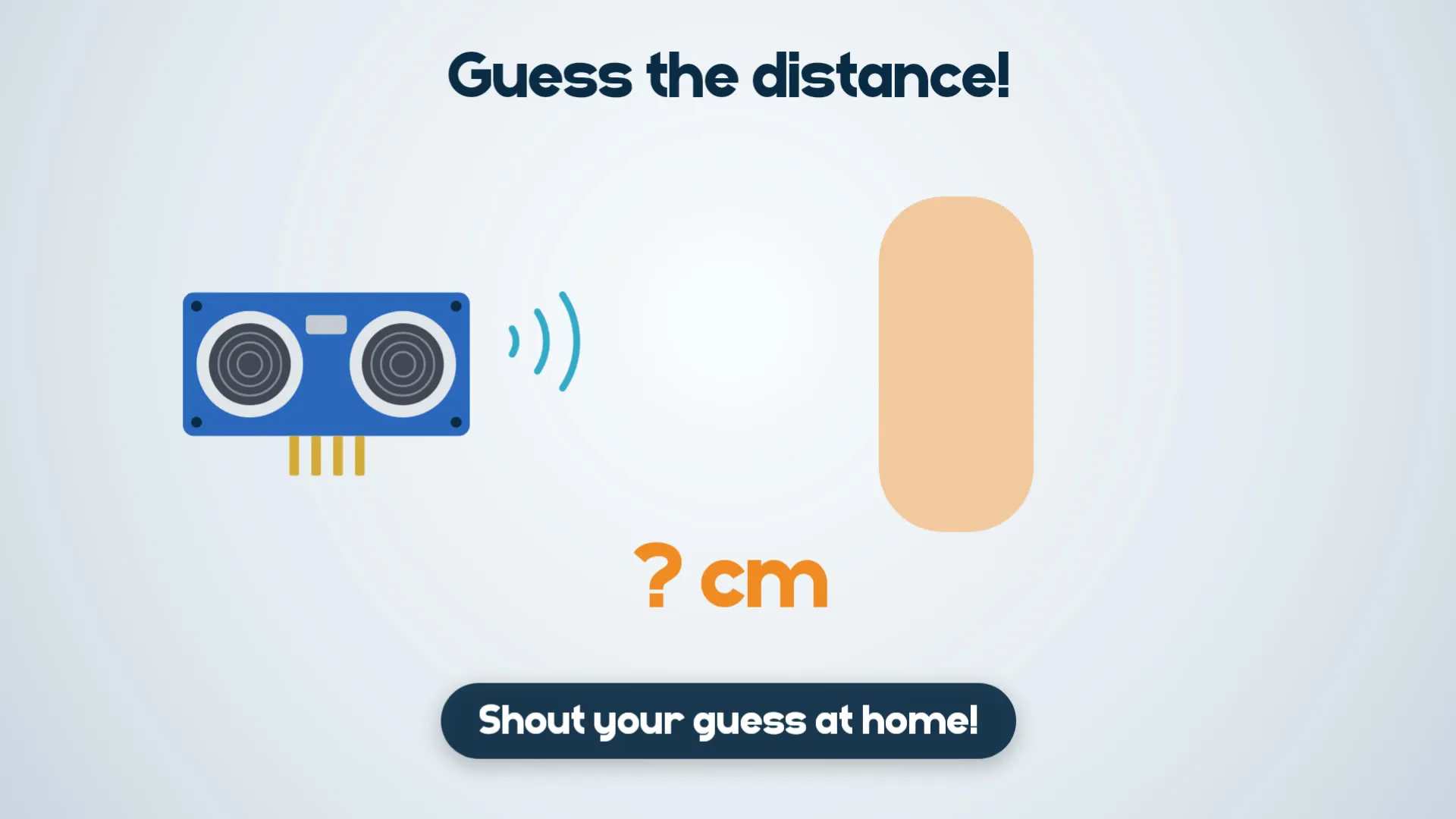
BUZZER_ACTIVE_LOW.BUZZER_IS_ACTIVE = False to play the pitches in ZONES.OLED_ADDRESS = 0x3D.Hold your hand or a book in front of the sensor. Everyone shouts a guess: how many centimetres away is it?
Then look at the OLED screen (or the serial console in Thonny). The robot says... ___ cm!
Robots are great at measuring. Who guessed closest?
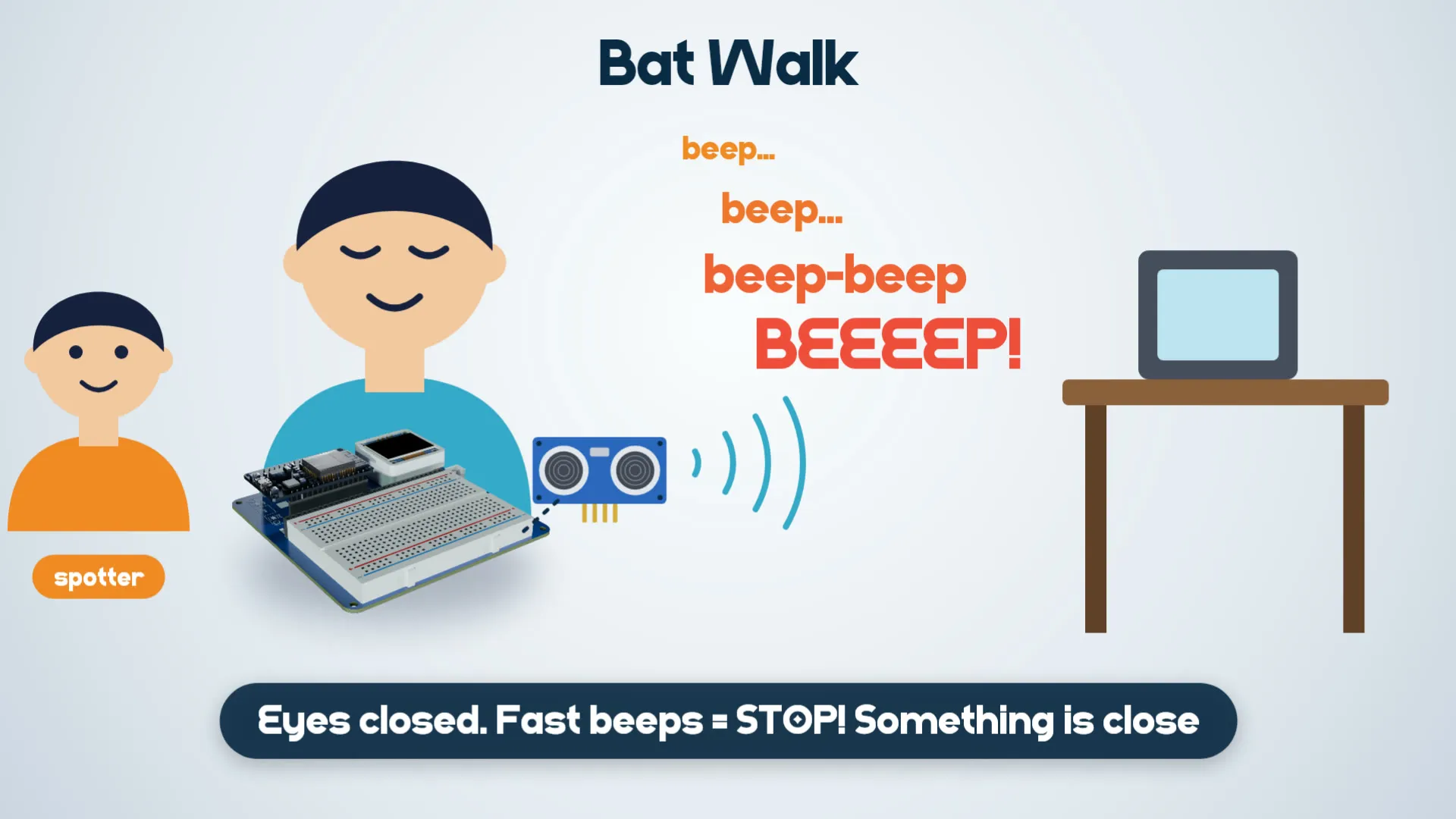
Game: Bat Walk
Fast beeps = STOP! Something is close.
Now you are seeing with sound, just like a bat!
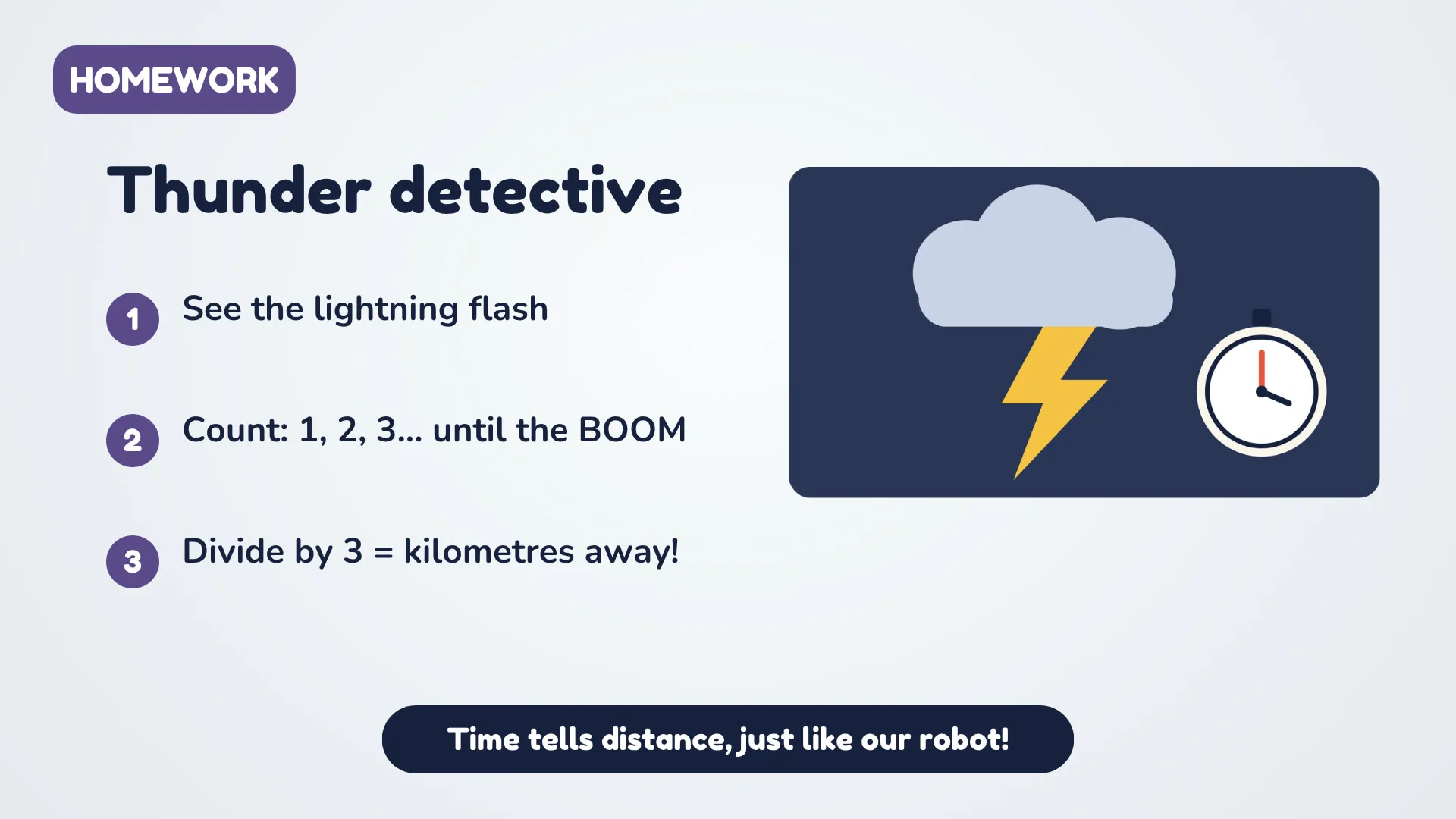
Next time there is a storm:
Time tells distance, just like our robot!
Now it's your turn to build a robot bat:
Then submit your build: click I built this at the top of this project and add a photo or short video of your robot bat beeping.
Bonus challenge: change the beep zones in ZONES so your bat starts beeping from 2 metres away. Can you make it beep a different tune when something is very close?